smart home
Motion Sensors Are Dumb. This mmWave Radar Knows You're Still in the Room.
Home Insight Hub is an Amazon Associate and earns from qualifying purchases. Read the full disclosure.
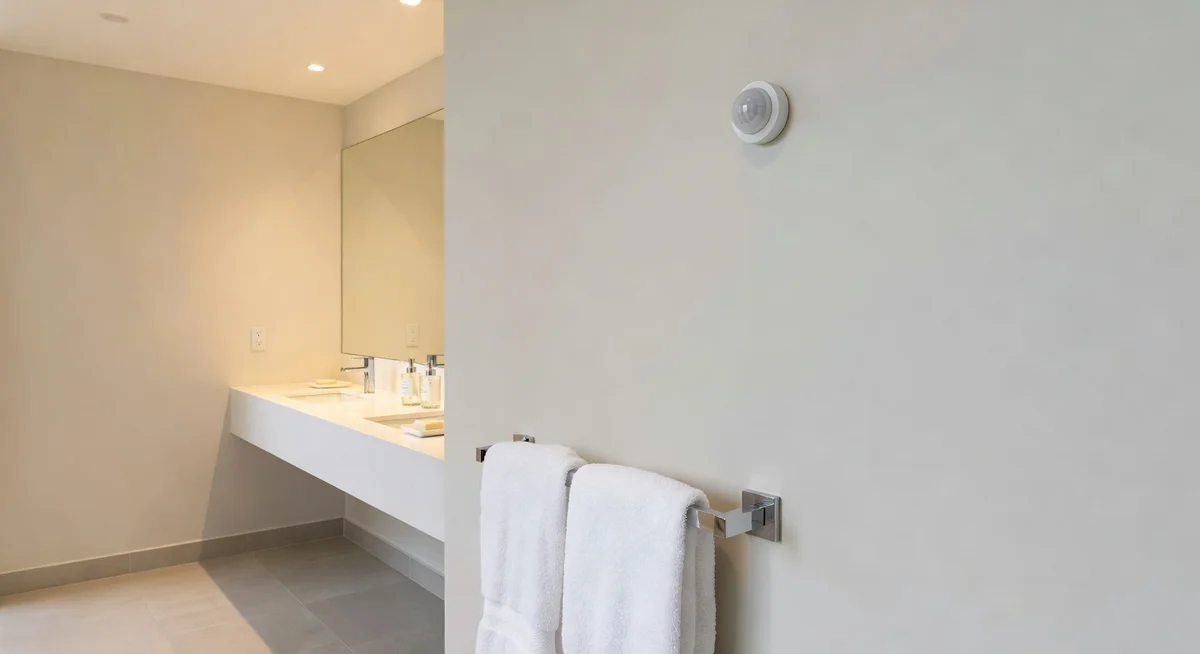
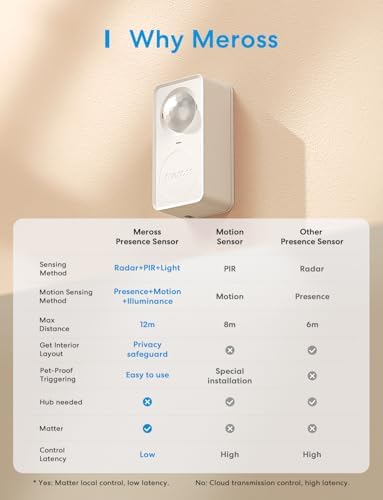
Meross 3-in-1 mmWave Presence Sensor — uses 24GHz radar to detect that you're still in the room even when sitting completely still, so bathroom and office lights stop shutting off on you; Matter compatible and works with Apple Home, Google Home, and Alexa. Fair warning: placement is everything — a ceiling fan, pet, or window with street traffic will trigger false positives, and it takes 2–7 days of tweaking to calibrate properly. But for the price, nothing else comes close.
You’re in the bath. The lights are on. Then you shift slightly, settle into a comfortable position, and go completely still for maybe four minutes. The bathroom light turns off.
This is not a hypothetical. This happens to people every single day, in bathrooms and offices and living rooms everywhere, because standard PIR motion sensors — the kind in 99% of smart home setups — can only detect movement. The moment you stop moving, the timer starts. Sit still long enough and you’re in the dark.
Standard PIR sensors work by detecting infrared heat signatures changing position. They’re great for detecting someone walking into a room. They’re completely useless for detecting someone already in the room who isn’t moving. Which describes a significant portion of how people actually inhabit their homes: sitting at a desk, lying on a couch, sitting on a toilet, soaking in a bathtub.
mmWave Radar Changes the Game on Presence Detection
Millimeter-wave radar is a different technology entirely. Instead of detecting infrared heat changes, it sends out radio waves and detects the tiny micro-movements that any living human body makes even at rest — chest movement from breathing, minor muscle adjustments, heartbeat. You can be sitting completely still in a chair, and an mmWave sensor knows you’re there.
The Meross 3-in-1 presence sensor combines mmWave radar with traditional PIR (for fast initial detection when you enter a room) plus a built-in light sensor. It’s Matter compatible, which means it integrates natively with Apple Home, Google Home, SmartThings, and other Matter-supporting platforms without custom workarounds.
After analyzing 358 reviews, the consistent story is that the core technology genuinely works: lights stay on while you’re present, even when still, and turn off reliably when the room is actually empty. That’s the problem it was built to solve, and it solves it.
- Sensor type: mmWave radar (24GHz) + PIR + ambient light sensor
- Protocol: Matter (Thread/Wi-Fi); Thread border router compatible
- Detection range: Up to ~16 feet for presence detection
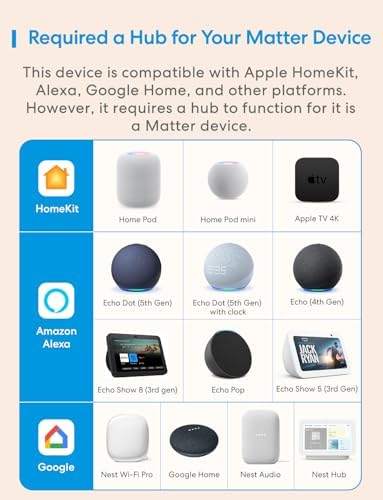
- Works with: Apple Home, Google Home, SmartThings, Amazon Alexa (via Matter)
- AI learning: Sensitivity adapts over time
- Mounting: Ceiling or wall mount included
- Power: USB-C powered
- ASIN: B0DYC9235W
The flaw: Placement is everything with mmWave, and getting it wrong produces false positives that will drive you completely mad. Mount it too close to a ceiling fan and it detects the fan blades as “presence.” Position it where a pet walks through regularly and it’ll keep your lights on indefinitely. Angle it toward a window and movement outside can trigger it.
Sensitivity tuning takes genuine trial and error. The app lets you adjust detection zones and sensitivity thresholds, but finding the right settings for your specific room — with your specific furniture layout, pet situation, and appliance setup — takes time. Most reviewers report spending 2–7 days tweaking settings before they hit the right configuration. The AI learning feature does help over time, but “over time” means weeks, not hours.
The other thing to know: this is a USB-C powered sensor, not battery-powered. You need a power outlet nearby or a discreet cable run to your mounting location. For ceiling mounting in particular, this may require a small amount of cable management work.
Who This Works For
Home offices where you want lights on while working at a desk but off when you actually leave — this is the single best use case. Bathrooms. Living rooms where people spend long stationary periods on the couch. Anyone who has cursed at a motion sensor for turning off lights during a meeting or a movie.
If you’re building out a full room automation, pairing this sensor with a scheduled curtain opener that reacts to morning light levels makes for a genuinely satisfying setup — the SwitchBot curtain opener can be triggered by time or light conditions, and combining that with this sensor creates a room that wakes up and settles down on its own. For the smart plug side of automation — turning devices on and off based on presence — the Kasa mini smart plug has a Matter-compatible option worth pairing with this sensor.
Who Should Skip It
Skip it if you have pets and your animals share the spaces you want to automate — pet filtering is imperfect with mmWave at ground level. Skip it if you can’t run a USB-C cable to your preferred mounting location. Skip it if you want plug-and-play simplicity without any calibration period — this one requires patience upfront.
Our Pick: Meross 3-in-1 mmWave Presence Sensor
The bathroom lights will stop turning off while you're in them — if you give it a week to calibrate properly.
Check Current Price on Amazon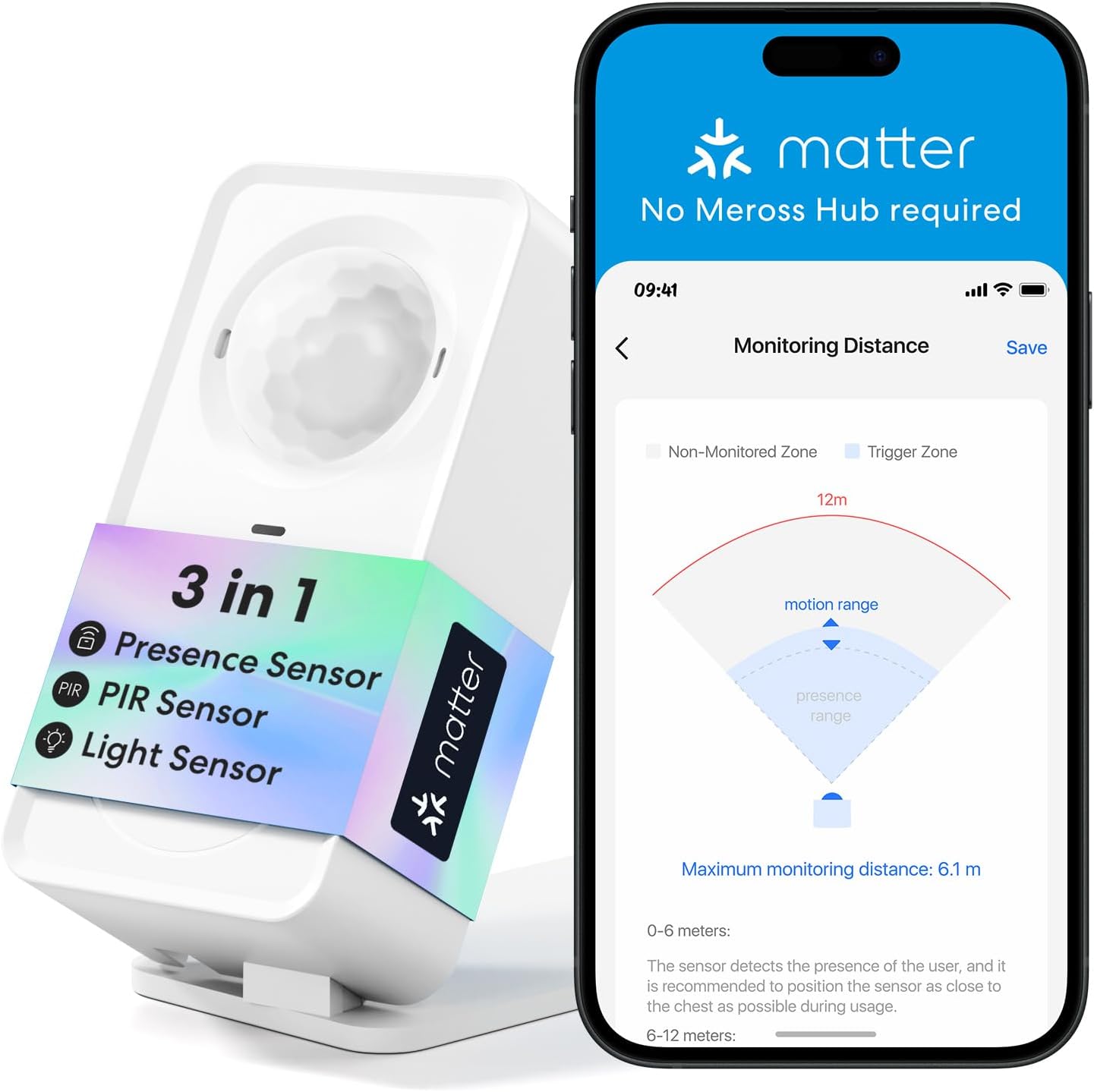
💡 Pro tip: For your first placement, choose the bathroom or home office — small, defined spaces with limited sources of false triggers. Avoid rooms with ceiling fans, large windows facing movement-heavy outdoor areas, or where pets roam freely until you understand how the sensitivity settings behave. Start with sensitivity at 70% and adjust up or down over three days. Most users find 60–80% is the sweet spot for human-only detection without false triggers.
Your Weekend Presence Detection Project
Install one sensor in your home office or bathroom. Set up a simple automation: lights on when presence detected, lights off 2 minutes after presence ends. Test it over a full workday — sit at your desk, don’t move for extended periods, and see if the lights stay on. Walk out of the room and time how quickly the lights turn off.
Spend the first three days adjusting sensitivity if you get false positives. By day four most reviewers report stable, reliable behavior. Once that room is dialed in, you’ll have a clear picture of whether the technology is worth deploying in other rooms — and you’ll also have permanently solved the “lights off while you’re in the bath” problem.
Ready to fix this?
The Meross 3-in-1 mmWave Presence Sensor is the pick. One purchase, problem solved.
Check availability on Amazon →Frequently Asked Questions
What’s the difference between mmWave and regular PIR motion sensors? PIR detects infrared heat changes — movement. mmWave radar detects micro-movements from breathing and subtle body motion, so it can tell a person is present even when completely still. PIR misses stationary occupants; mmWave doesn’t.
Does it work with Apple Home natively? Yes — it’s Matter compatible, and Apple Home supports Matter devices natively. No bridge or workaround required.
Will it detect my pets? Possibly. mmWave can detect pets, especially larger dogs and cats. Mounting the sensor at ceiling height angled downward helps differentiate between human-height presence and pet-height presence, but it’s not perfect. Pet filtering requires careful sensitivity adjustment.
Does it need to be plugged in constantly? Yes — it’s USB-C powered, not battery-powered. You’ll need a power source at your mounting location.
How long does calibration take? Most reviewers report 2–7 days of adjustment to find the right sensitivity settings for their space. The AI learning feature continues to improve accuracy over several weeks.
Full disclosure: As an Amazon Associate, we earn from qualifying purchases. Our recommendations are based on research, review analysis, and real household use only where explicitly noted. Commission rates play no role in what gets recommended — if a simple hardware-store fix beats a branded option, we'll say so.